


Results for
CRM
In the Analytics section, you can also create a widget to analyze data on your transactions or funnel conditions in the CRM system. To create a new CRM widge...
Analytics
CRM for business
A CRM system (Customer Relationship Management) is a powerful tool designed to automate and optimize the processes of managing relationships with clients, pa...
CRM
Deals in the CRM system
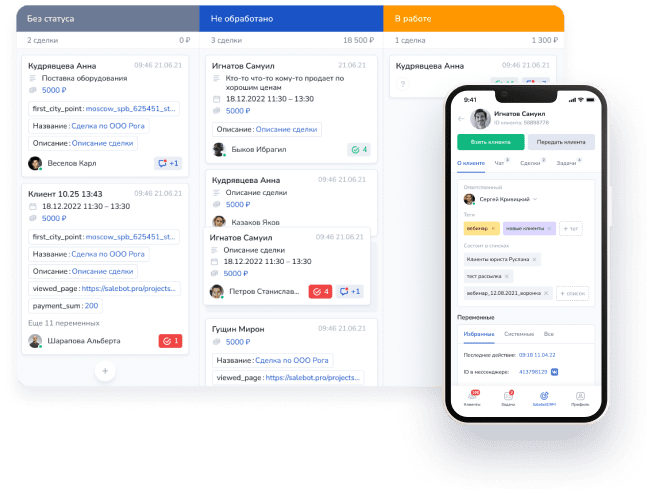
Deals in the CRM are displayed as cards with information about the client, deal name, description and amount. You can add other fields, if needed (see fig. 8...
CRM
Working with cutomers and CRM
LEGEND: was_in_state() | days_from_last_message() | free_client() | assign_to_user() | distribute_client()| get_operator() | get_operator_name() | delete_pen...
Calculator
Client chat
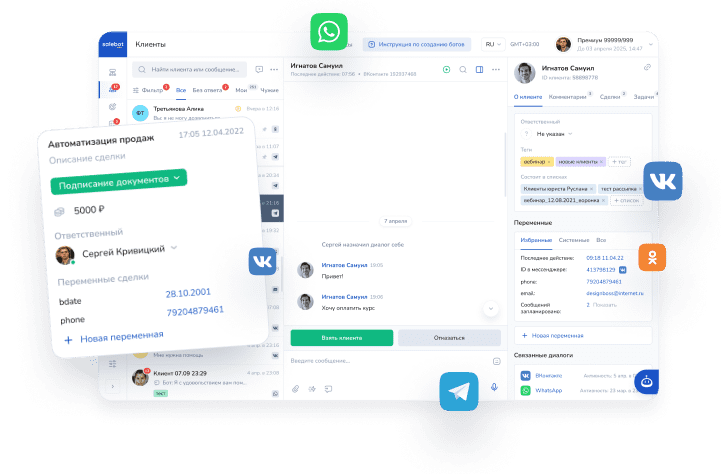
Click any user in the left-hand list within the Clients section to open a window showing their information and chat history. The Clients section lets you cha...
Customers from messengers
API builder
Some API request functions can be run in the Calculator. Requests are sent via the POST or GET method to a URL in the following format: https://chatter.mavib...
Working with API
Roistat
How to connect an integration For the integration to work, you need to add the tracker code on Roistat to a mini-landing on Mavibot. Open the main menu on Ro...
Analytics
Project Settings
In the project settings, you can select incoming notifications, configure work with funnels and then, set variables and constants, rename the project, and mu...
Account
AI chatbot for online booking
Mavibot services - is one of the sections related to the CRM system that allows you to automate the filling of employees' schedules with online booking throu...
AI chatbot builder
...Transfer UTM-labels
Working with labels is explored with the examples of messengers Viber, Telegram, Facebook. Other messengers don’t support deeplink. WhatsApp also supports th...
How to...
Actions
This field is a dropdown list of actions that can be configured within the block. Adding an action: To add an action in the block, click "+ Add action." You ...
Message block settings
MaviBot Account
Authentication data – a unique username and password assigned to the User of the Services, used to access the Personal Account via the Internet or to access ...
Account
AI chatbot
An AI assistant is a true breakthrough: now you can configure AI-powered chatbots to interact with your customers using ready-made roles and preconfigured fu...
AI chatbot builder
Messenger broadcasts
Attention! The maximum number of scheduled messages per client is 32 messages. Please note! Mailing lists are NOT AVAILABLE during the test period. During do...
Mailings
Tasks
The “Tasks” section definitely deserves the status of one of the most useful sections in MaviBot. This is an important feature that helps users organize and ...
CRM SYSTEM FOR BUSINESS