







How to Create a Subscription Club in Telegram: A Detailed Guide
Paid clubs and closed channels in Telegram are one of the most popular ways to monetize content, communities, and expertise. This could be a closed chat for traders, a fitness club, a self-development course, or exclusive content for fans. Automation allows you to accept payments, grant access, control subscriptions, and remove non-payers completely automatically — without any manual work.
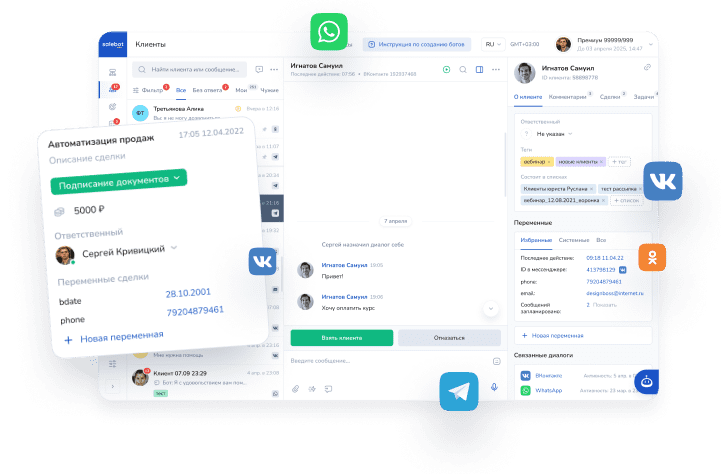
With Mavibot.ai, you can quickly set up a full-fledged subscription club using fast automation and no-code tools. The platform combines chatbots, payments, access management, and mailings in one place, allowing you to launch everything in 15–30 minutes. The emphasis here is on fast automation with an intuitive interface:

Granting access after payment, adding and removing members, controlling subscription periods — everything is set up automatically.
Preparing the Group/Channel
To successfully automate subscriptions in closed channels or groups, you need to create a Telegram bot, then add it to the channel/group with administrator rights.
Connecting to Telegram
- Open @BotFather in Telegram (with the blue checkmark — official):
- Send the command /newbot
- Bot name (any)
- Username (in Latin, ending with bot or _bot, for example @moy_pomoshnik_bot)
- Receive the API token and copy it.
- Open the Chats section in Mavibot, select Telegram, and paste the token into the appeared window, then click “Done”.
Adding the Bot to a Telegram Group/Channel
This capability for the bot is enabled in BotFather:
1) Go to the bot settings:

Click on Bot Settings
2) Click on "Allow Groups?"

Step 3. The status should be enabled

Adding the Bot as an Administrator in the Group/Channel
Step 1. Go to Group/Channel Management and select the “Administrators” tab

Step 2. Click the “Add Admin” button

Step 3. In the search bar, enter your bot’s username.

Step 4. For the bot to work properly, grant rights to manage/delete messages:

Automation Settings
To automate work in closed subscription clubs, hover over "Builder". A menu will open where you will see the tab with Telegram automation:

Then click "Add Automation". The automation settings will open with two tabs: Main Settings and Message Settings.
Main Settings
In the main settings, select the bot that is connected to the closed channel/group:

Then select the group/channel to which the bot is connected with administrator rights:

Create an invite link in the Telegram channel settings with join request approval (enable “Join Request”).

After creating it, copy the link and paste it into the specified field:

In the bot launch condition, you can leave a single condition "/start" and add additional conditions using a semicolon (;).

Then select the payment service for subscription payments (the project must have a payment system connected)

Next, set up subscription plans:

You need to specify:
- Plan name;
- Plan cost;
- Number of days of access to the channel/group (period).
You can create multiple plans for the channel:

Now click "Save" and proceed to the message settings.
Message Settings
In the "Message Settings" tab, you need to configure the following types of messages:

Welcome message — this message serves as the entry into the purchase funnel for the client to buy a subscription to the club (it is NOT the first message in the channel).
You can write your own text for each message or leave the default text.
After that, click "Save".
Done! Your subscription automation for clubs is complete with simple and clear steps.
How the automation works with minimal settings:

After selecting a plan, a message with a payment button will arrive; after payment, the client will receive access to the closed group.
No more manual payment checking or member management. Mavibot itself monitors access and helps maintain order in the group.
Useful Tips
- Start with demo access — conversion increases 2–3 times.
- Make multi-level plans: basic / premium / VIP.
- Add a chat manager: AI answers questions, a live operator handles complex ones.
- Analyze: Mavibot shows payment statistics, unsubscribes.
With Mavibot.ai, you get the fastest automation — no code, no developers, with full content protection. Launch your club today and start earning tomorrow!
If you need help with setup — write to their support (chat on the website https://mavibot.ai/ or @mavibot_ai in Telegram)
Good luck with your paid community! 🚀