







How to Create an Instagram Chatbot in 15 Minutes: Step-by-Step Guide
If you need a chatbot in Instagram that replies in Direct Messages 24/7, checks whether the user is following your account, and instantly sends a lead magnet (checklist, guide, promo code, etc.) when they send a keyword — all without writing any code — then no-code platforms make life much easier. One of the best options right now is Mavibot.ai. It’s an all-in-one tool where you can build a bot for Instagram (and other channels), create visual conversation flows, connect a CRM, set up online booking, and even add AI-powered natural replies.
You can realistically set up a simple bot in 15–20 minutes by following the steps below.
What Mavibot.ai can do
- Visual no-code editor — build flows like a drag-and-drop constructor.
- Supports: Instagram (Direct Messages), Telegram, WhatsApp, and more.
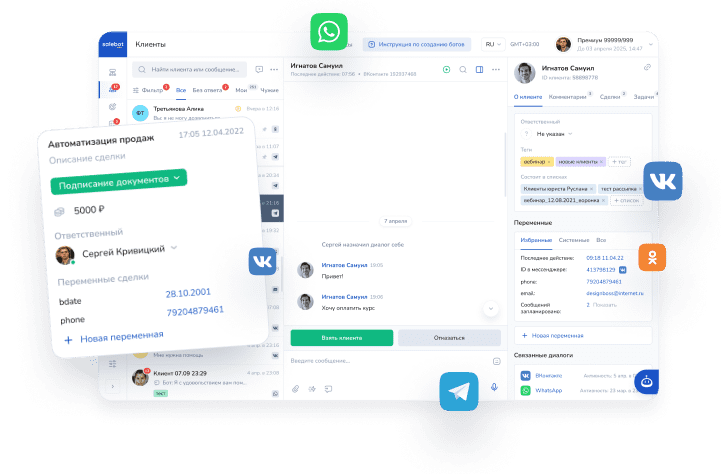
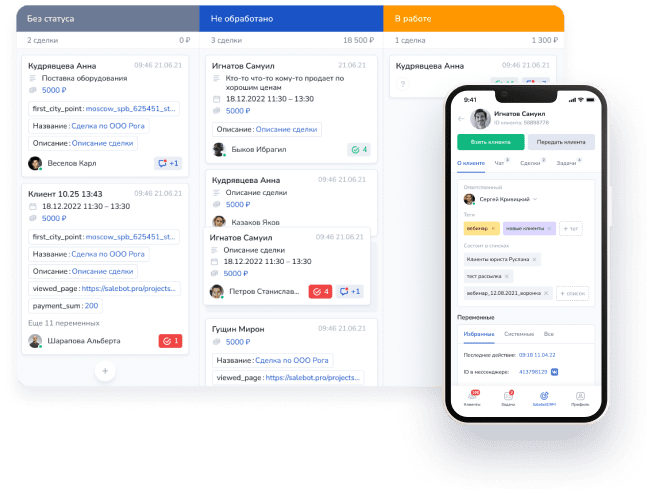
- Built-in CRM: all messages, leads, and deal stages in one place.
- AI for natural answers to free-form questions.
- Online booking, payment collection, broadcast messages.
- Website builder and even an online store constructor.
Step-by-step guide to creating an Instagram bot with subscription check + lead magnet delivery
Step 1. Registration (1–2 minutes)
Go to https://mavibot.ai/.
Click “Sign Up” (or “Registration”).
Sign up using your email or your Facebook/Apple account.
Step 2. Create a new project (1–2 minutes)
After logging in, click the “Create Project” button.
Give it a name (for example: “Insta Lead Magnet with Subscription Check”).
Hit “Create” — you’ll immediately land in the visual flow builder.
Step 3. Set up the flow with subscription check (10–15 minutes)
We’ll create a bot that delivers the lead magnet in DM only if the person is already following you.
You can use the quick “Instagram Automation” template for this (hover over the “Builder” / “Constructor” section and select Instagram) — the settings there are very intuitive. You can also check the official guide here: https://docs.mavibot.ai/messengers/instagram/instagram-automation.
But it’s useful to understand how it works under the hood, so here’s how to build it manually in the “Constructor” section using blocks:
Create a starting block “Start”
In the “Trigger” field, enter your keyword (for example: г guide / checklist / promo — without quotes). This is the word people will send to your Instagram DM to trigger the bot.

In the same block, go to the “Message” tab and write a welcome text, for example:
“Hey! To get the [name of your lead magnet], please follow my account first and then tap the button below 👇”
Add a button (in the “Buttons” tab), for example label it “I’ve followed!” or “Check subscription”.

In the block settings, choose “Create a block below” — a new block will appear. Drag it wherever is convenient.


In the second block, set up the subscription check.
Use the calculator/function field and write:
result = check_insta_subscription()

In the Condition field, enter the button text as a condition for the transition.

From the subscription verification block, create two new blocks.
In the arrows leading to them, set these conditions in the “Variable” field:
- result == True → goes to the “subscribed” path
- result == False → goes to the “not subscribed” path
Set 0-second delay on both arrows.
In the “subscribed = True” block, write the success message + attach your lead magnet file/link (PDF, Google Drive link, promo code text, etc.).
In the “not subscribed = False” block, write something like: “Looks like you’re not following yet 😔 Follow me and tap the button again to try!”
Add the option to re-check (loop back to the button or repeat the check block).

That's it – your basic funnel is ready!
Step 4. Connect your Instagram account (3–5 minutes)
Important: Your Instagram account must be a Business account. Regular personal or Creator accounts won’t work with the integration.
How to switch to Business (if you haven’t already):
- Open Instagram → Settings → Account → Switch to Professional Account → Choose “Business”.
Then, in Mavibot:
- Go to the “Chats”
- Select Instagram.
- Click “Login with Instagram” (make sure you’re already logged into Instagram in your browser).
- Grant all permissions (especially “Access to messages”).
Step 5. Test & launch (2 minutes)
From another account, send a direct message to your Instagram account with the code word.The dialogue will look like this:

Done – your Instagram bot is launched!
What you can add later
- Full funnels with multiple lead magnets
- AI agent so the bot can handle free-text questions naturally
- Collect email/phone contacts
- Connect to external CRM and send broadcasts to your list
- Auto-replies to comments under your posts
Bottom line
Mavibot.ai is a super user-friendly choice for beginners who want to launch an Instagram Direct bot quickly, without code, and immediately get automation + a built-in CRM. Perfect for bloggers, experts, online schools, salons, stores — anyone using Instagram for leads and sales.
If something doesn’t work — reach out to Mavibot support (live chat on the website or @mavibot_ai in Telegram) — they reply fast.
Ready to try? Sign up with the free trial here: https://mavibot.ai/
Good luck with your Instagram bot! 🚀