


Online Booking for a Barbershop.
If you run a barbershop website and manage appointments through phone calls, Instagram, WhatsApp, or Facebook, you already know how time-consuming it can be. You constantly answer messages, check availability, confirm bookings, reschedule clients, and remind them about their appointments.
This is where a modern barber booking system becomes essential.

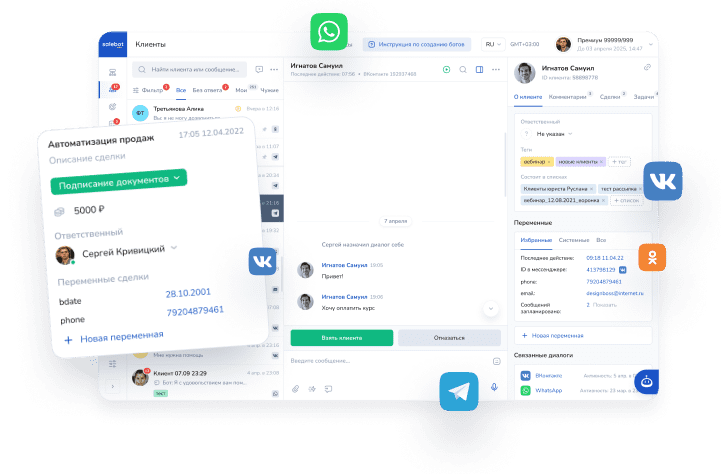
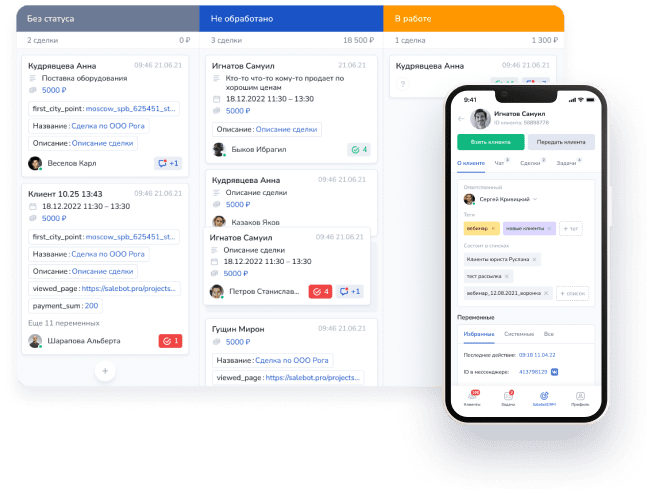
With Mavibot, you can turn your workflow into a fully automated barbershop booking system. Clients can book appointments online, choose services, select a barber, and pick a convenient time without contacting you directly. All bookings are automatically saved in one place.
In this guide, we’ll show you how to set up a barber shop appointment system using Mavibot — a powerful and flexible online booking system for barbers.
Register in Mavibot and Create Your Project
Getting started with Mavibot is simple. You can create your account in just a few minutes.
Go to the official Mavibot website and register using your email. After that, you can create your first project and start building your barbershop appointment software.
This is a great starting point if you’re looking for a free barbershop booking software to test and automate your workflow.
Step 1. Create a Branch
The first step in setting up your barber shop appointment system is creating a location.

If you have one barbershop, create a single branch. If you operate multiple locations, you can create separate branches for each one.
Add the following details:
- branch name;
- address;
- currency;
- contact information.
This allows customers to choose the correct location when booking through your barbershop website.
Step 2. Add Services
Next, create service categories such as “Haircuts” or “Beard Services.”
Then add individual services available for booking.

For example:
- Classic Haircut;
- Skin Fade;
- Beard Trim;
- Haircut & Beard Combo;
- Kids Haircut;
- Buzz Cut;
- Hot Towel Shave;
- Hair Styling;
- Hair Coloring.
For each service, include:
- service name;
- price;
- duration;
- description.
A well-structured service list improves the user experience and makes your online booking system for barbers more effective.
Step 3. Add Barbers
Now add your team members to the system.
If you are an independent barber, simply create one profile. If you run a barbershop with multiple employees, create a profile for each barber.

Each profile can include:
- name;
- photo;
- description;
- contact details.
This allows customers to choose their preferred barber when using your barber shop appointment software.
Step 4. Assign Services to Barbers
After adding barbers, assign services to each one.

For example:
John
- Classic Haircut;
- Skin Fade;
- Beard Trim;
- Haircut & Beard Combo.
Michael
- Buzz Cut;
- Hot Towel Shave;
- Beard Trim;
- Hair Styling.
This ensures that your barber booking system only shows relevant barbers for each selected service.
Step 5. Set Working Hours
Now configure the working schedule for each barber.

You can define:
- working days;
- working hours;
- days off;
- breaks;
- custom schedules.
Once configured, your barbershop appointment system will automatically display only available time slots.
This prevents double bookings and ensures accurate scheduling.
Step 6. Set Up Notifications
To reduce no-shows, enable automatic notifications.

After booking, customers receive a confirmation message. Before the appointment, they receive a reminder.
This feature is essential for any professional barber shop appointment software, as it helps reduce missed appointments and improves customer reliability.
Step 7. Create a Landing Page and Set Up the Booking Widget
First, go to the Landing Pages section in Mavibot and create a new landing page.
Choose an empty template and create a blank page. After that, copy the link to this landing page — you will need it for the next step.

Next, go to the Widgets section and create a new Online Booking widget.

In the widget settings, paste the link to your landing page into the domain field.

Then configure the widget by selecting:
- the branch;
- available services;
- barbers;
- design and appearance.
After completing the setup, save the widget.
Now go back to your landing page editor.
Add the Online Booking section to the page and select the widget you have just created.

Save the landing page.
Step 8. Share Your Landing Page with the Online Booking widget
After publishing, copy the link to your landing page and share it with your customers.
You can add the link to:
- your website;
- Instagram bio;
- Facebook page;
- Google Business Profile;
- WhatsApp;
- Telegram;
- your email signature;
- a QR code inside your barbershop.
Customers can now book appointments online 24/7 without calling or sending messages.
All appointments are automatically stored in Mavibot, where you can manage bookings, schedules, and customer information from one place.
What You Get with Mavibot
After setup, you get a complete barber shop appointment system that works automatically.
With Mavibot, you can:
- accept bookings without calls or messages;
- automate your barbershop booking system;
- send automatic reminders;
- manage barber schedules;
- reduce no-shows;
- avoid double bookings;
- save time;
- improve customer experience.
Whether you run a small shop or a large grooming studio, Mavibot works as a scalable barbershop appointment software solution.

Frequently Asked Questions
What is the best barber booking system?
The best barber booking system allows you to manage appointments, automate scheduling, and reduce manual work. Mavibot provides all these features in one platform.
Is there free barbershop booking software?
Yes. Mavibot can be used as a free barbershop booking software to start automating your appointments and managing your schedule.
Can independent barbers use this system?
Yes. Mavibot works perfectly for independent barbers as well as full barbershops.
How do I set up a barber shop appointment system?
To set up your system:
- create a branch;
- add services;
- add barbers;
- assign services;
- set schedules;
- enable notifications;
- create a booking page;
- share your link.

Can customers choose a specific barber?
Yes. Customers can select their preferred barber when booking.
Does the system send reminders?
Yes. Mavibot automatically sends confirmations and reminders.
Is this suitable for multiple barbers?
Yes. The system supports multiple barbers, schedules, and locations.
Can I add booking to my barbershop website?
Yes. You can easily integrate your booking page into your barbershop website or share it via social media.
Conclusion
A modern barbershop booking system helps you save time, reduce missed appointments, and improve customer experience.
With Mavibot, you get a powerful barber shop appointment software that allows clients to book online, choose services, select barbers, and manage appointments easily.
Whether you need a simple barber booking system or a full-featured barbershop appointment system, Mavibot provides everything you need to automate your business and grow your barbershop.