


Chatbotbuilder without code or developers
Automate sales, leads, and customer support 24/7
Over 15,000 companies use Mavibot
Powerful features for growing businesses
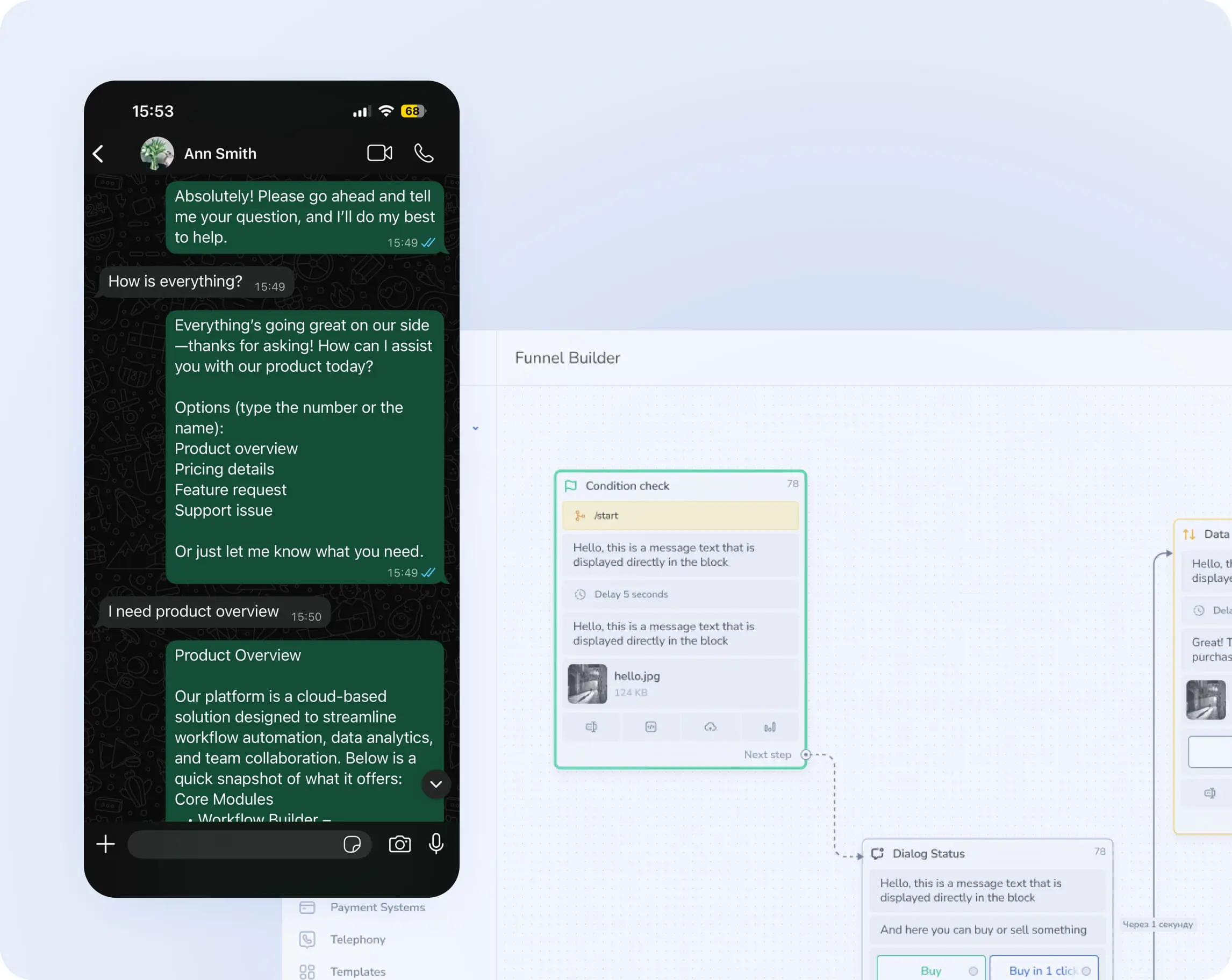
Business messaging automation
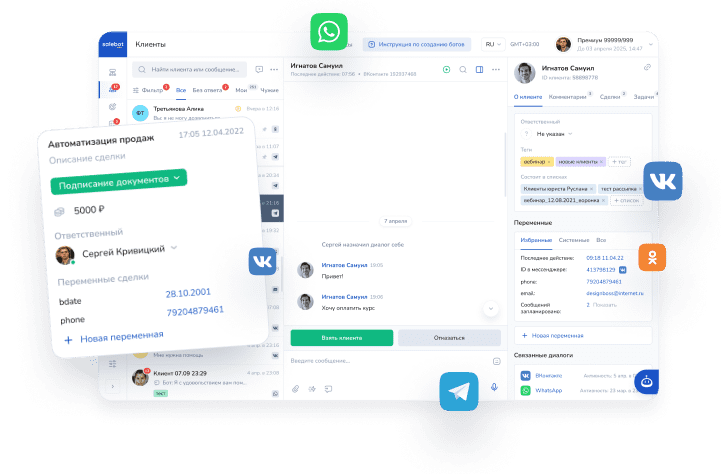
Automate direct messages and send instant replies on WhatsApp, Telegram, Instagram, and email.
Chatbot for groups and channels
Create a chatbot for your Telegram, WhatsApp and Discord groups and channels to save time and keep all members informed.
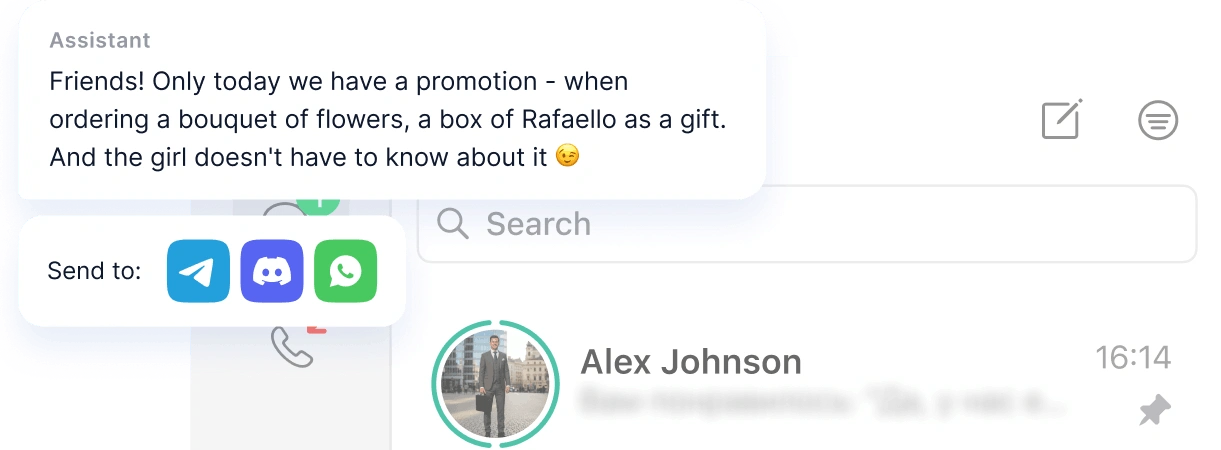
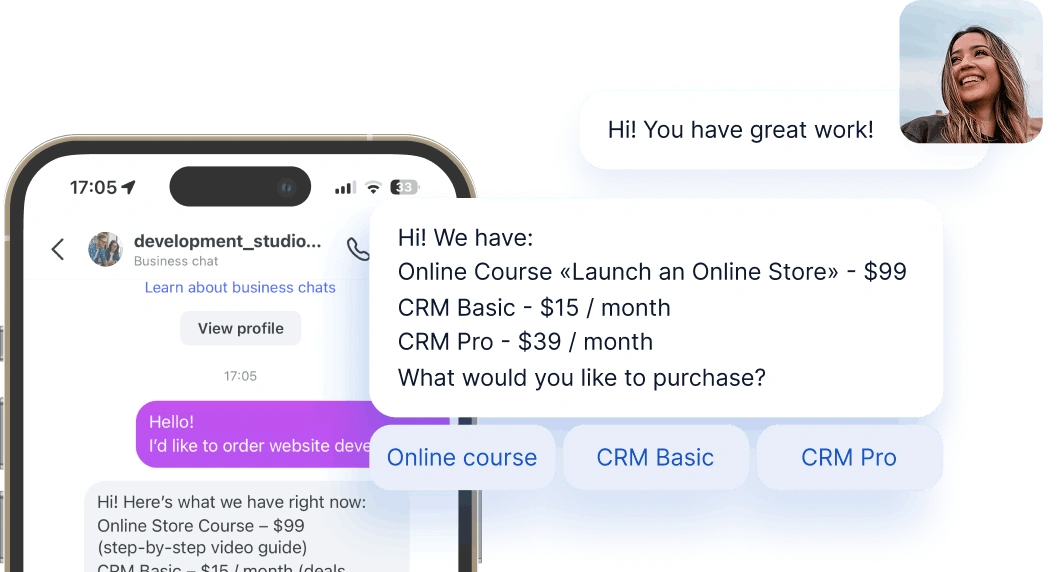
Action buttons in messages
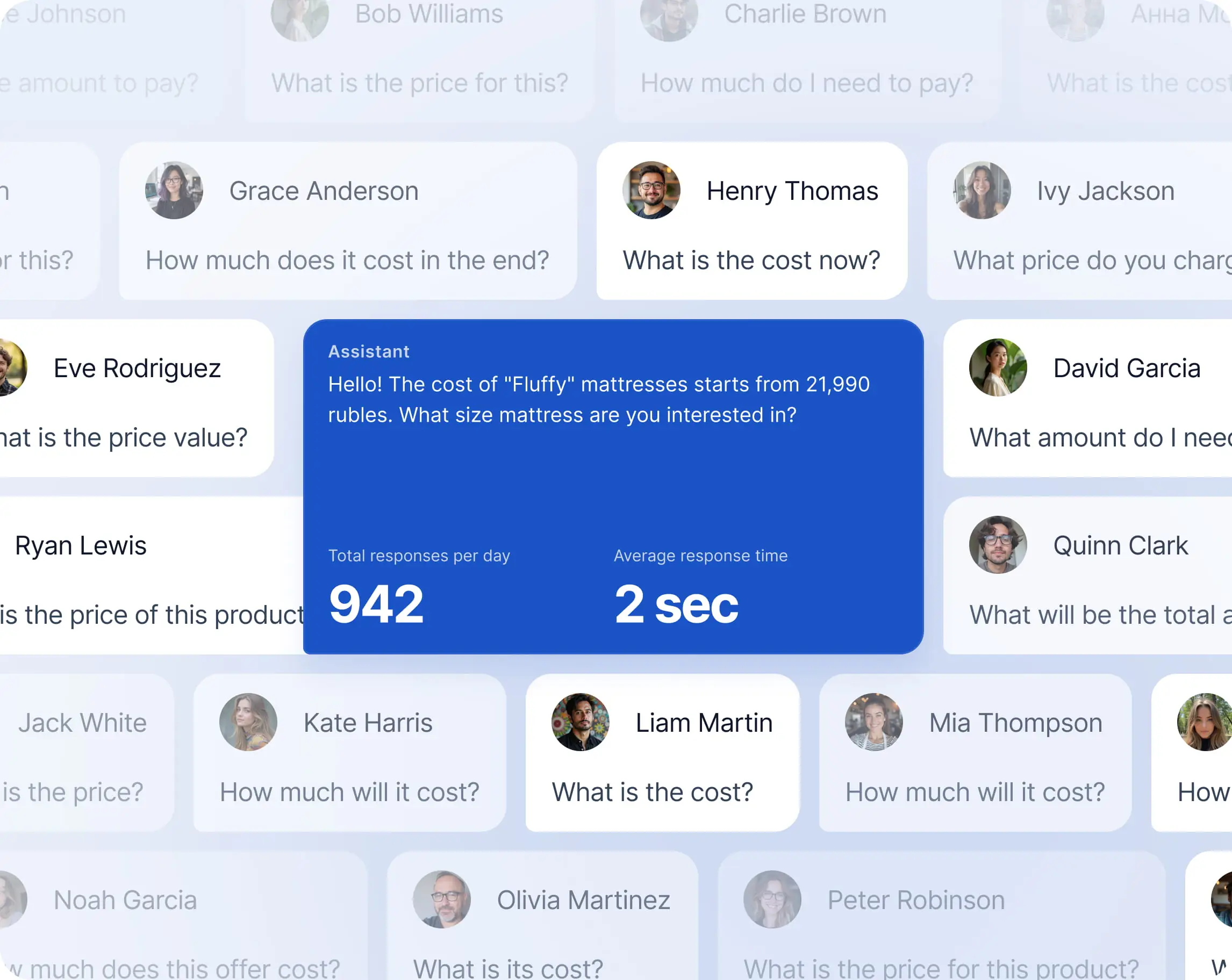
The AI assistant helps your customers book services, purchase products, and get instant support.
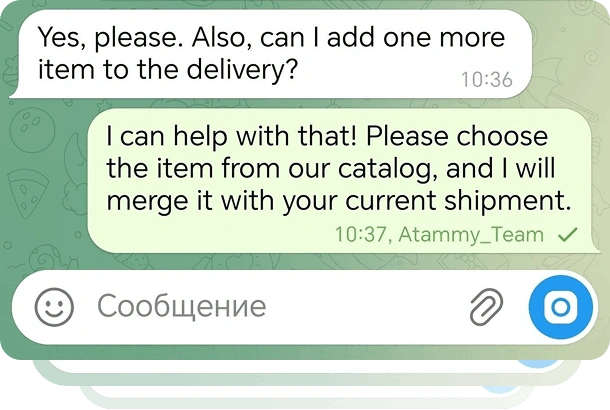
Online booking for services and events via chatbot
Customers can confirm orders, pay for services, and launch bot scenarios with just one click
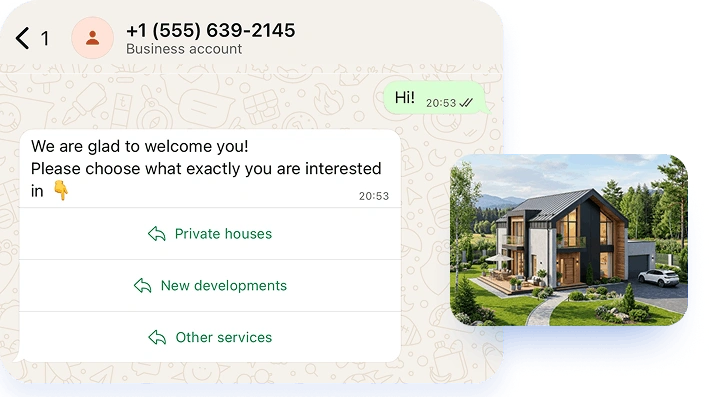
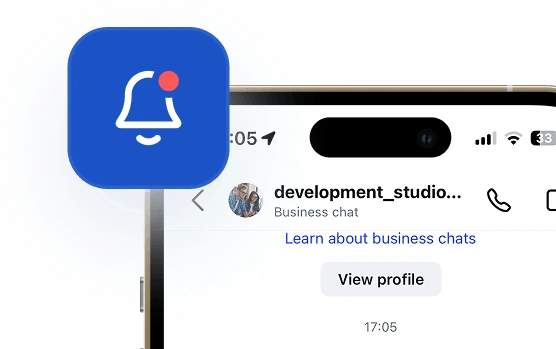
Email & messenger notifications
Remind customers about appointments and orders days or hours in advance.
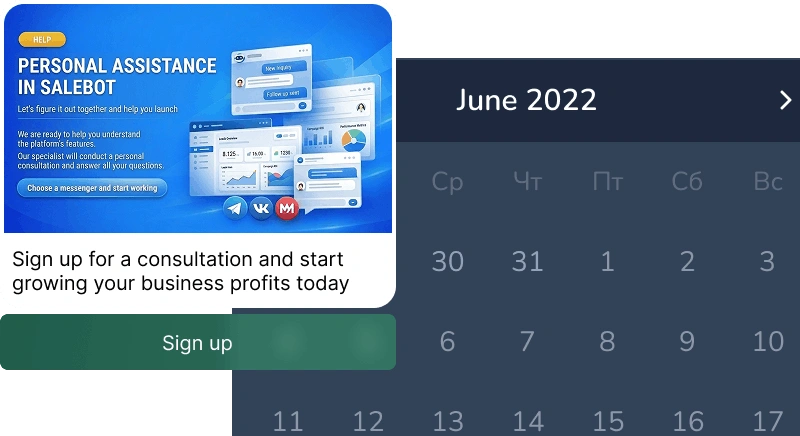
AI Live Chat for Website
Customers can pick a time and book instantly within the chat
Marketing campaigns
for your customers
for your customers
Send customers promotions, news, or personalized offers via messaging apps or email
We're with you every step of the way
Perfect for your business
Simplify. Automate. Improve.
Why businesses trust Mavibot?
Chatbot for any messaging app
Instagram, WhatsApp, Email, Facebook, Line, TikTok, Discord, and more. One tool for every place your customers talk to you.
Works reliably
The bot responds without delays or errors. Even when thousands of users message at the same time.
Clear pricing
No hidden fees, commissions, or unexpected charges. Always transparent and easy to understand pricing.
AI chatbot generation
Just describe your idea, and the system quickly builds a bot scenario—no need to start from scratch.
Step-by-step analytics
See exactly where users drop off. Quickly find weak points in the funnel and improve them.
Who is Mavibot for?
We automate businesses of any size – from startups to large enterprises
Free plan. No credit card.
Step by step
How to create a chatbot for business?
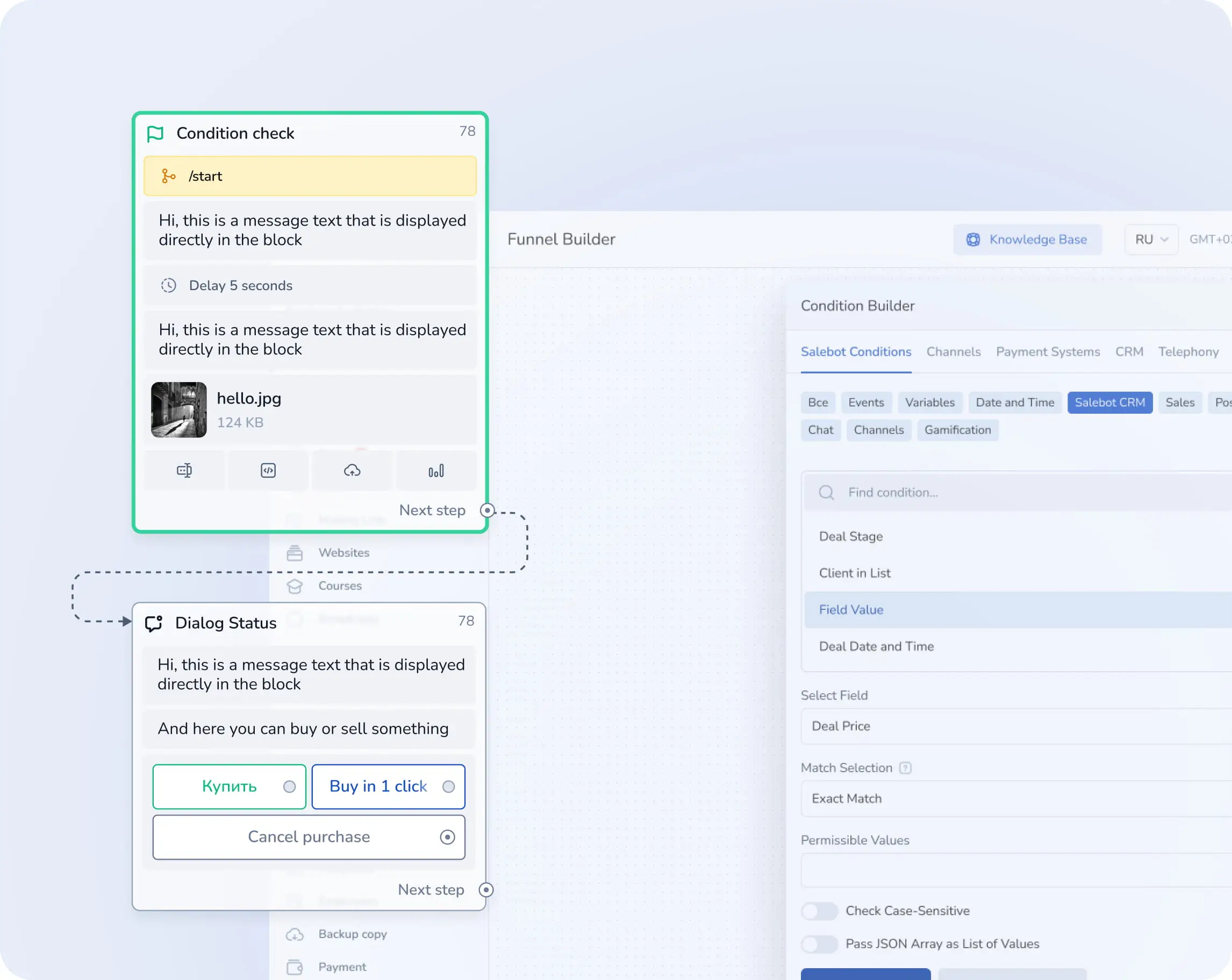
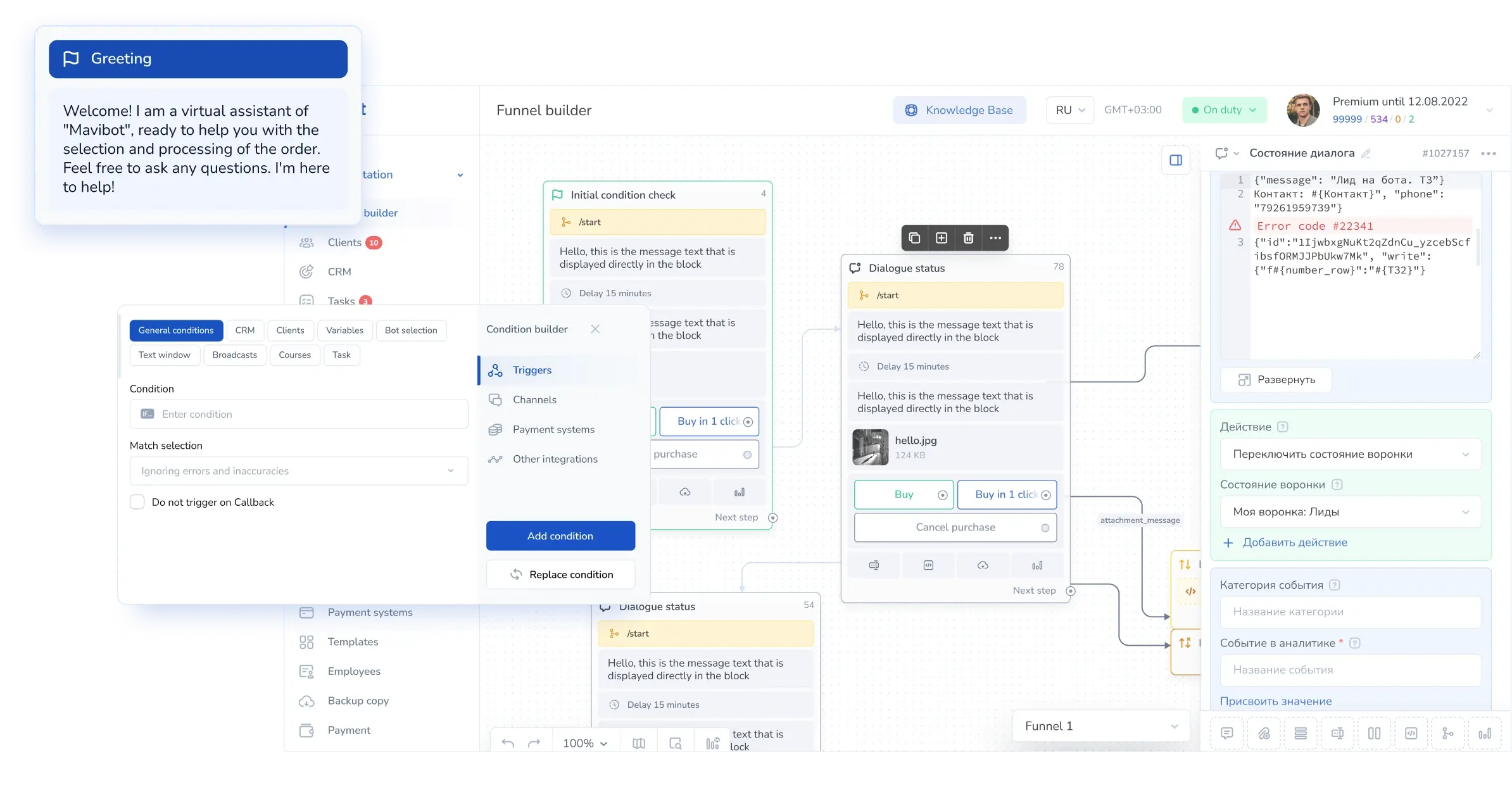
Set up your funnel
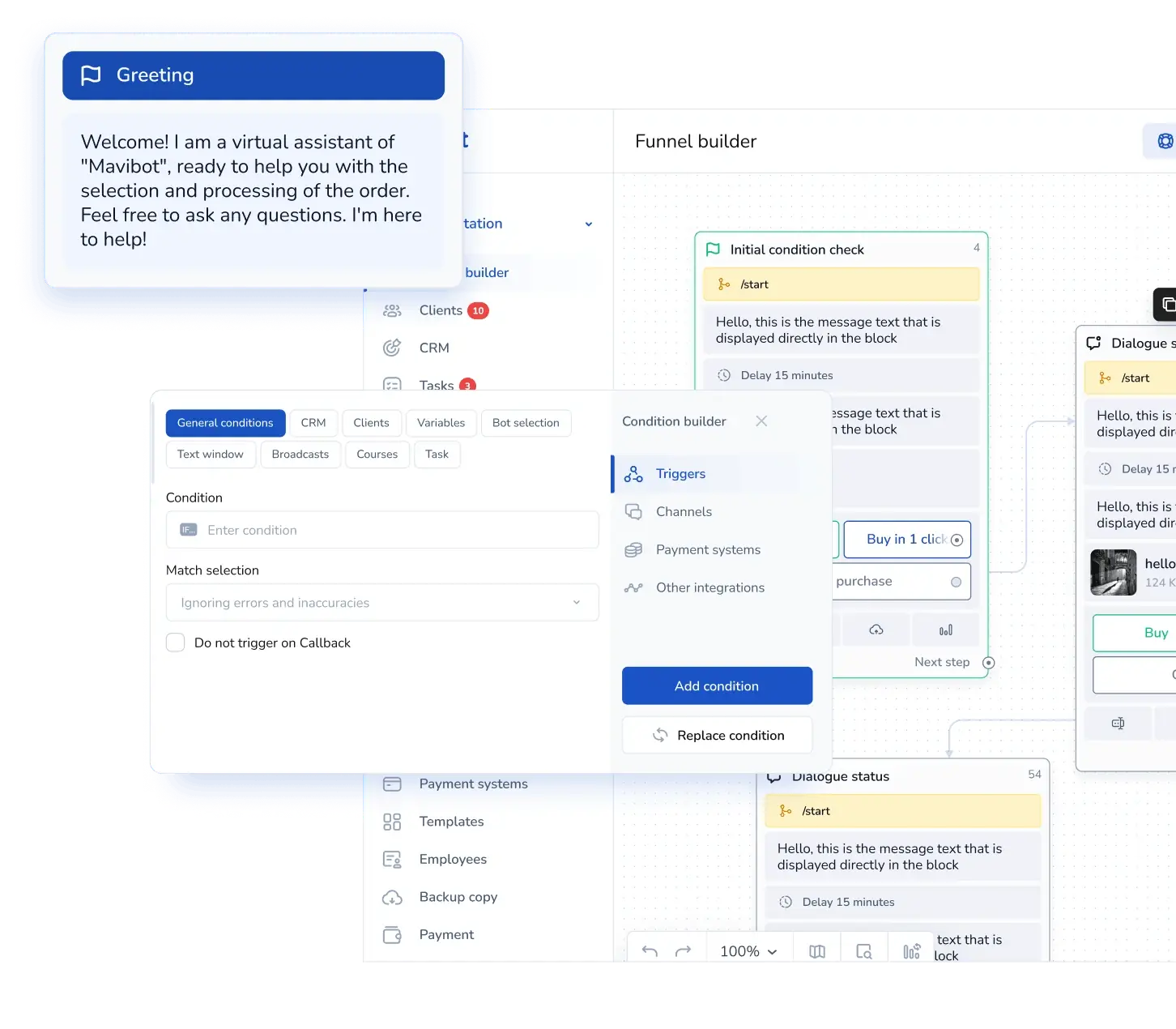
Create a message flow in the MaviBot builder to automate communication with your customers.
#1
Add your content
Add images, videos, files, and links — so chats with your bot are more interesting.
#2
Connect the channel
Instagram, Facebook Messenger, WhatsApp, email, website live chat, and other channels for working with your clients.
#3
Launch your chatbot
Test your funnel scenario in a messenger or in the website's live chat. Your chatbot is now ready to go live!
#4
See Real Results
Growth Stories with Mavibot

Milavitsa
Automating feedback and boosting client engagement at Milavitsa

Online school TEFL/TESOL Certificate
Automated content delivery and launched a funnel in Instagram Direct

Maria Nikitina’s Beauty Salon
Stopped losing requests and automated client booking

Chizhov Studio
A digital funnel and 1.5x sales growth

Tour company Anex Tour
Automated sales and improved manager performance control

Decolette
Launched a Telegram sales funnel that started generating leads from day one

Facial Plastic Online School
A step-by-step webinar funnel with full client tracking

PixelQuest
PixelQuest transforms sales: from manual work to full automation with Mavibot
Automating feedback & boosting client engagement at Milavitsa
The lingerie retail chain Milavitsa streamlined client interaction, automated data collection, and increased loyalty program engagement using chatbots on the Mavibot.
Before Mavibot
The Milavitsa team was looking for a solution to:
- Collect client data without extra effort from staff
- Automate receipt submission for prize draw participation
- Boost survey response rates and engagement in the loyalty program
- Organize data transfer to CRM and Google Sheets for crediting points to client cards
The Mavibot solution
- Chatbot for receipt collection and prize draws: Clients upload a photo of their receipt directly in the chatbot. The receipts are then sent to a supergroup, where staff manually verify the data. Once approved, the bot automatically issues entries for the prize draw.
- Loyalty program survey: In another scenario, the client answers a few questions, provides their phone number, and the data is automatically sent to Google Sheets. Managers then add points to the client’s card according to the program rules.
- Semi-automated system —We kept key control points for staff but eliminated routine tasks. The bot handles communication, data collection, and structuring, while employees only perform the final verification.
What we solved
- Simplified receipt and client data collection without extra staff workload
- Increased client engagement in prize draws and the bonus system
- All data flows into a centralized table — no losses, no manual copying
- Clients gained a simple and clear way to interact with the brand — via a chatbot in their messenger
Result
With Mavibot, Milavitsa shops:
- Created a simple and clear client journey: from purchase — to prize draw and points accrual
- Reduced staff workload through automated data collection and transfer
- Increased client engagement in promotional activities and loyalty to the brand
- Built a flexible system where manual checks complement automation while maintaining quality control
The Milavitsa case shows how partial automation with Mavibot helps efficiently collect data, process receipts and reviews, run prize draws, and manage the loyalty program — even with manual moderation in place. All these things make client interaction faster and more convenient, while keeping processes more transparent and stable.
How the online school TEFL/TESOL Certificate automated material delivery & launched a funnel in Instagram Direct
The online school TEFL/TESOL Certificate trains English teachers according to international standards and helps graduates find jobs worldwide. Its main client acquisition channel is Instagram . Before launching a new ad campaign, the key task was to automate free material delivery and build a funnel in Instagram Direct without manager involvement.
Based on Mavibot platform, a complete automated funnel was built with a code word, subscription check, and step-by-step warming up through a series of messages.
Before Mavibot
Instagram consistently generated traffic, but the team faced several issues:
- Manual replies to each request slowed down communication;
- It was impossible to verify user subscription before sending materials;
- Materials were not delivered instantly, which reduced conversion;
- There was no structured nurture sequence to keep prospective buyers engaged.
What we solved
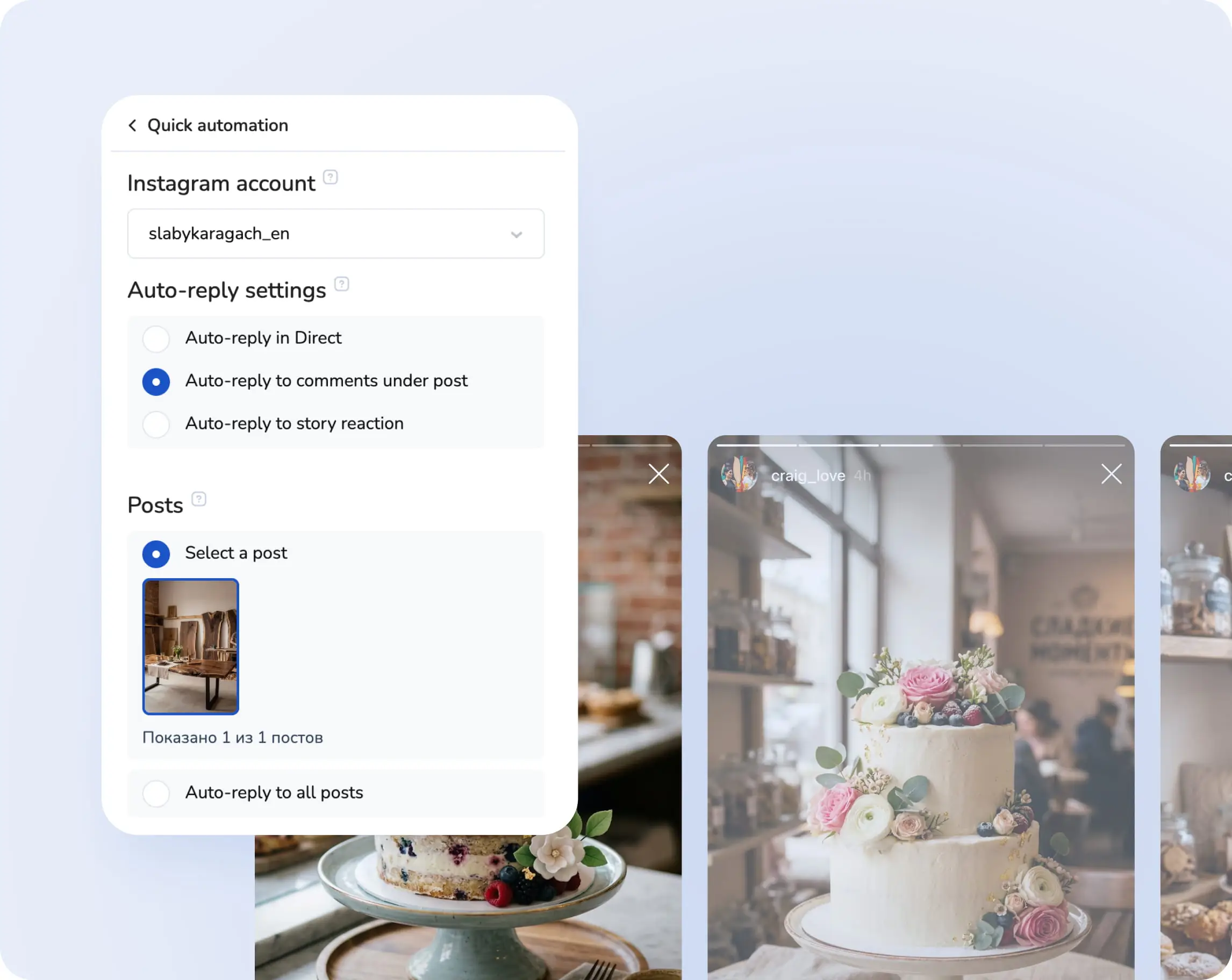
- Funnel with trigger by keyword 'Gift'A user sends a message with the keyword in Direct — the auto-funnel is triggered, checks the subscription, and issues free learning material if all conditions are met.
- Instagram account subscription checkMavibot automatically verifies whether the user is subscribed to the school’s account. This protects content and motivates the audience to take action.
- Series of delayed messages (warming up)After delivering the material, a sequence of messages is launched: program details, student stories, testimonials, career opportunities, and an invitation to a Telegram channel for closer communication.
- Transition to Telegram for further salesOne of the key funnel steps is moving the user from Instagram to Telegram. That’s where the main communication happens: course details are shared and enrollment is handled.
- Segmentation and controlUser behavior in the funnel is tracked. Depending on their actions (e.g., subscribed/not subscribed, opened/didn’t open material), the system suggests next scenarios.
What we solved
- Automated delivery of materials without manager involvement
- Ensured subscription check — now bonuses go only to loyal users
- Built a complete warming up funnel with delayed touchpoints
- Reduced team workload and accelerated response time
- Created a Telegram transition, where the user continues through the funnel toward course payment
Result
- The Instagram Direct funnel started working automatically 24/7, with no manual handling required
- First applications came in on launch day, and all leads were filtered and subscribed
- Conversion increased thanks to instant response and personalized touchpoints
- Telegram became the platform for close communication and sales, while Instagram remained the stable entry point into the auto-funnel
The TEFL/TESOL Certificate case shows how Mavibot enables a fully automated Instagram sales funnel, using keywords, subscription filtering, and messenger transition — without manager involvement and with maximum efficiency from inbound traffic.
How Maria Nikitina’s beauty salon stopped losing requests & automated client bookings
Maria Nikitina’s beauty salon is a cozy local space focused on high-quality service and comfortable client interaction. The main goal was to quickly and conveniently handle bookings and respond to inquiries from different messengers and platforms.
Before Mavibot
The salon faced a common problem: managers had to handle messages simultaneously from WhatsApp , VKontakte, Telegram, and Avito, which led to lost requests, confusion, and extra workload for the team.
The challenge:
- Unify all requests and messages from different messengers and platforms in one place.
- Ensure convenient control and processing of requests.
- Automate the booking process via the website.
- Minimize manual work for managers and prevent lost requests.
The Mavibot solution
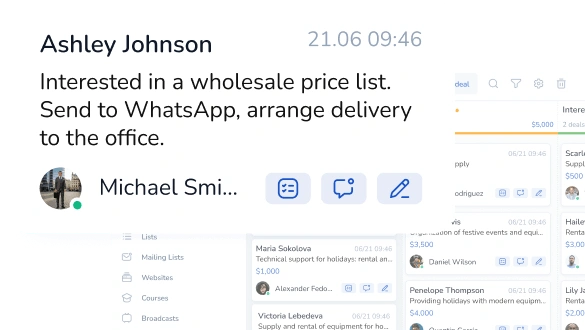
- Chat manager and CRM in one place:We set up a chat manager that collects messages from WhatsApp , Avito, VKontakte, and Telegram into a single system. All requests are displayed in a convenient CRM, where managers can see the full chat history, the request source, and its current status.
- Online booking via chatbot: A chatbot with online booking was integrated into the website. Clients choose a service and time on their own and instantly receive confirmation — no extra calls or waiting.
- Working in Telegram: Managers can now monitor all requests from different channels in a single Telegram account. This greatly simplified communication and sped up request processing.
What we solved
- All requests from WhatsApp and Telegram are now in one interface.
- Convenient client database management and chat history in CRM.
- Automated client booking via the website and chatbot.
- Reduced workload for managers, minimized risks of losing requests.
- Ability to monitor and schedule bookings directly from Telegram.
Result
Managers at Maria Nikitina’s beauty salon no longer waste time switching between messengers and manually managing bookings. All requests are visible in the CRM: where they came from, which service was booked, and when.
The case of Maria Nikitina’s beauty salon demonstrates how Mavibot can consolidate requests from all messengers and platforms — WhatsApp , Telegram, VKontakte, Avito — into a single CRM system, automate bookings through a chatbot, and fully control the client flow without routine manager work.
Rainbow Smile & Chizhov Studio: how a digital funnel rebuilt on messengers grew sales 1.5x
When Rainbow Smile noticed that depending on a single social platform was putting their entire digital strategy at risk, the company faced a critical question: what happens if their main acquisition channel suddenly stops working? Together with Chizhov Studio and the Mavibot platform, the team rebuilt their sales and communication funnel from the ground up — shifting the focus to messengers and chatbot-driven engagement.
Results:
- Sales from digital channels grew 1.5x
- Revenue increased by 50%
- A fully owned digital base of loyal clients was built
Before Mavibot
Rainbow Smile had built its digital marketing around a single social platform, where most of its communication and sales took place.
Key characteristics:
Key characteristics:
- Active content marketing: stories, live streams, contests, targeted ads
- Limited presence in messengers, used only as a secondary support channel
- Dependence on one external platform with no infrastructure of their own
- No way to communicate with clients directly if access to the platform changed
What was done
- Shifting the focus to messengers and chatbot ecosystems
- Instead of pouring more budget into a single external channel, the team built a new ecosystem where chatbots and subscription mechanics became the core engagement tools.
- Launching chatbots on the Mavibot platform
- All key client touchpoints moved into the bot: promotions, bonuses, coupons, FAQs, and product recommendations. The bot served as both a digital consultant and a tool for growing a first-party customer base.
- Building a digital client base the brand fully owns
- Instead of social followers (who can disappear with one platform decision), Rainbow Smile started building a database of chatbot subscribers — with personalized offers and segmentation by interests, behavior, and purchase history.
- Instead of social followers (who can disappear with one platform decision), Rainbow Smile started building a database of chatbot subscribers — with personalized offers and segmentation by interests, behavior, and purchase history.
- Instead of social followers (who can disappear with one platform decision), Rainbow Smile started building a database of chatbot subscribers — with personalized offers and segmentation by interests, behavior, and purchase history.
What this solved
- Removed dependency on a single external platform
- Quickly launched a sales funnel inside messengers
- Improved campaign effectiveness through personalization and automation
- Built a digital customer base 100% owned by the brand
Result
- Sales from digital channels grew 1.5x
- Overall revenue increased by 50%
- A complete, manageable communication system that doesn’t rely on third-party platform decisions
- Messengers became the central channel in the company’s digital sales structure
The Rainbow Smile & Chizhov Studio case proves that brands don’t have to be hostages to a single platform. By moving customer communication into messengers and automating it with Mavibot, businesses can build a sustainable funnel they fully control — and turn it into a measurable growth engine.
How the international travel company Anex Tour automated sales & strengthened manager oversight
Anex Tour — a large international travel company with over 20 years of experience, offering a wide range of travel services worldwide. The company specializes in comprehensive tour selection based on individual client preferences and ensures a high level of service at all stages of the journey — from choosing a destination to returning home.
Before Mavibot
The team faced common challenges during growth and increased request volume:
- Managers communicated with clients via WhatsApp , Telegram, and other messengers without a centralized control system.
- Management found it difficult to track how managers interacted with clients, and how quickly and effectively they responded.
- Simple but routine tasks — reminders, payment and booking notifications — had to be sent manually.
The challenge:
- Unify client communication channels in one window and create a transparent system for managers.
- Enable management to view chats and step in if needed.
- Automate routine actions so managers can focus on selling tours.
- Launch an easy-to-use system for mass client communications.
The Mavibot solution
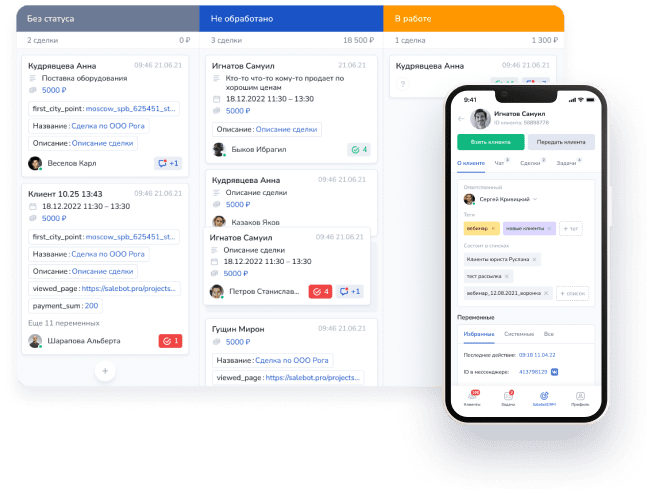
- Unified window for client communication and CRM:With Mavibot, the company now has a single interface for client communication from WhatsApp and Telegram. All chats are in one system with sorting, filtering, and control options.
- Quality control of managers' work:Management can join any chat, give guidance, adjust interactions, or take over the chat. This increases manager accountability and reduced communication errors.
- Automation of routine tasks:Autoresponders, reminders, confirmations — everything previously done manually is now automated, freeing time for actual sales and client consultations.
- Mass client outreach:The Anex Tour team can now quickly launch personalized campaigns — promotions, early booking reminders, and seasonal offers.
What we solved
- All communication channels are now in a single interface.
- Management can monitor chats and assist managers in real time.
- Routine processes are automated: from first response to sending reminders.
- Ability to send mass client communications directly from the system.
Result
Anex Tour managers no longer juggle multiple messengers and lose requests. Management now has clear oversight of communication quality, and routine tasks are automated.
Each manager is now integrated into a unified sales system, rather than just using a messenger.
The Anex Tour case shows how Mavibot can automate not just requests but the entire client communication process: from first contact to deal closure. This is especially important in the travel business, where every consultation can turn into a booked tour if handled promptly and professionally.
Auto-funnel for the 'Decollete' Plastic Surgery Clinic with applications from day one
The plastic surgery clinic ‘Decollete’ in Moscow is a new brand in aesthetic medicine that from the very start focused on a structured digital funnel and client journey automation.
Together with Maria Novitskaya and powered by MaviBot an auto-funnel in Telegram was launched, bringing applications literally from the first day of operation.
Before Mavibot
Before launching the new clinic, the tasks were:
- Quickly build a digital funnel without major time or budget costs;
- Receive online applications immediately after marketing launch;
- Simplify initial client communication and ease the load on administrators;
- Retain interested users through a consistent series of touchpoints.
What we solved
- Launched Telegram auto-funnelA sequence of messages was developed to nurture potential clients in Telegram. The scenario included: introductions to doctors, breakdown of popular procedures, answers to FAQs, and an offer of a free consultation.
- Ad integrationThe Telegram funnel was linked with targeted ads in VK and myTarget. After clicking, the user entered the chatbot, receiving step-by-step navigation, engagement, and an invitation to a consultation.
- Lead collection in CRMApplications from Telegram were automatically transferred into the clinic’s CRM. Staff could see user details, traffic source, and inquiry type. This improved response speed and conversion.
- Content + automationThe funnel combined informational blocks (plastic surgery, aesthetics, safety) with marketing triggers: promotions, limited offers, and bonuses for consultations.
What we solved
- The clinic began receiving qualified applications from day one of ad launch
- The first stage of the client journey was fully automated: from interest to application
- Lowered entry barrier: clients gained information and trust through a messenger instead of a website
- The clinic staff received a structured database of applications with clear source and touchpoint history
Result
- The first application came on the very first day of the auto-funnel launch
- The clinic achieved a quick sales start without overloading staff or extra infrastructure costs
- A flexible system allows scaling the funnel for new services and areas
Step-by-step webinar funnel for a facial plastic school with full client control
The Online Facial Plastic School approached us to automate the main course sales process using a webinar funnel and CRM system.
Before launching the project, the team faced several challenges: no clear logic for the funnel, difficulty distributing clients across channels, and no system to track each potential client.
Before Mavibot
- No system to track each client and their interaction history;
- No understanding of how to segment clients by channels and sales stages;
- No unified platform to manage the funnel and communications.
What we solved
- Implemented a CRM system for centralized client tracking and management at all stages.
- Set up a webinar funnel using Mavibot funnel builder to automate stages from lead generation to sale.
- Launched webinars and automated funnels, warming up the audience and guiding them to purchase the course.
- Segmented clients by communication channels and funnel stages with full transparency and behavioral tracking.
What we solved
- Built automated webinar funnel for selling the main course;
- Implemented a system to track every client and their interaction history;
- Optimized audience management across different channels, considering funnel stages;
- Ensured process transparency — no potential deal is lost.
Result
- The online school gained a functioning automated funnel that systematically attracts and warms up clients;
- Every webinar participant is logged in the CRM, enabling control over communication efficiency and quality;
- Conversion rates increased thanks to well-structured funnel logic and timely touchpoints;
- Automation reduced manager workload and minimized the risk of losing clients.
The Facial Plastic School case shows how, with Mavibot and CRM integration, you can build an effective webinar sales funnel, track every contact, and ensure a steady client flow — without chaos or losses.
PixelQuest transforms sales: from manual work to full automation with Mavibot
PixelQuest — the largest network of game centers in Russia, offering unique light-floor quest games.
The main goal was to create an automated sales department to quickly and effectively interact with clients, systematize the database, and increase sales.
Before Mavibot
PixelQuest faced the need to automate communications and build a transparent sales system. Manual data collection, lack of a unified database, and fragmented communications slowed processes and reduced conversion.
The challenge:
- Automate collection of electronic client consents.
- Systematically expand the client base through automated funnels.
- Monitor service quality and collect feedback.
- Increase reviews on maps and platforms using automated campaigns.
- Built a lead nurturing funnel for prospective franchise buyers
The Mavibot solution
Using Mavibot, we implemented a comprehensive solution including:
- Automated electronic consent collection — clients sign consents without manager involvement, speeding up the process and reducing errors.
- Building client base through sales funnels — all information is neatly structured for easier client management.
- Automated review requests — clients receive invitations to leave reviews after transactions, improving reputation.
- Message chains for warming up potential franchisees — gradually engage and inform interested parties.
- Scenarios for quality control and feedback collection — managers receive timely info on service quality and can respond promptly.
What we solved
- Reduced manager manual work by automating routine tasks.
- Simplified and sped up client data and consent collection.
- Significantly increased number of reviews on maps and platforms.
- Established a clear, transparent communication process with potential franchise buyers.
- Improved manageability and control of sales processes.
Results
PixelQuest now uses Mavibot CRM to segment the client base and monitor deal stages. Thanks to automated communications and consent collection, managers are freed from routine tasks and can focus on higher-value activities.
The PixelQuest case demonstrates how Mavibot helps create an efficient, fully automated sales department, improve service quality, and build long-term relationships with potential partners.
What People Say About Us
Mavibot customer reviews





Business owners trust Mavibot
Michael
Web development studio
Nicholas
Chatbot developer
Catherine
Online course producer
Paul
Business consultant
Peter
Real estate agent




Business owners trust Mavibot
No hidden fees or additional charges
Transparent pricing that scales with you.
Mavibot Plans comparison
- Pricing
- Free
- Business
- Mavibot AI
- Team members222
- Number of daily messages5010001000
- Live chat
- Builder
- Mavibot CRM
- Website builder
- Analytics
- Courses
- Webinars
- Broadcasts
- Calculator
- Working with API requests
- Working on Google Sheets
- Payments in the chatbot
- Integrations with payment systems (except Prodamus)
- Integrations with online education platforms (Bizon365, Getcourse, Prodamus, etc.)
Free
$ 0
Get started for free — no credit card required
Features
Up to 50 emails per day
LMS platform for up to 10 students
Connect any messenger
Build 1 website or online shop
Sales and payments via chatbot
Business
$ 39
/ month
For educators and online schools
Features
Everything from the Free plan
Up to 1,000 messages per day
Up to 1,000 emails per day
LMS platform for up to 1,000 students
Unlimited webinar platform
Mavibot AI
$ 59
/ month
For any business and companies
Features
Everything from the Business plan
AI assistant for customer communication
AI-powered sales funnel generation
AI communication in 100 languages
Connect AI to any chats and channels
Additional options
+1000 messages
per day
$ 4.90
+1000 emails
per day
$ 9.90
+2 GB
file storage
$ 1.90
+100 students
in a project
$ 9.90
Additional channel
$ 9.90
Additional employee
$ 9.90
One service for all your needs.
Change the way you run
your business today
Create a chatbot. Automate customer communication.
All capabilities in one solution.
FAQ
Answers to your questions
What is a chatbot?
A chatbot is a software program that automatically communicates with people by simulating a live conversation. It answers questions, helps users complete tasks, collects data, sells products, or provides consultations — depending on how you configure it.
To automate repetitive tasks with a chatbot, you simply build a message sequence in the Mavibot builder and connect your preferred messenger.
Once set up, the bot will automatically reply to customers, collect their data, forward leads to your managers, and handle any process you've built into the message flow.
To automate repetitive tasks with a chatbot, you simply build a message sequence in the Mavibot builder and connect your preferred messenger.
Once set up, the bot will automatically reply to customers, collect their data, forward leads to your managers, and handle any process you've built into the message flow.
Can I build a chatbot for free?
In Mavibot, you can create a chatbot completely free.
You have two convenient options:
You have two convenient options:
- 3 days on the maximum plan — everything included (except broadcasts). Test all the features at full power and see what the platform can really do.
- Free subscription forever — works for as long as you need. Perfect if you want to take your time and explore the basic features without any pressure.
How to make own AI chatbot on WhatsApp, Instagram, and Facebook Messenger?
It's very simple:
- Connect your chosen messenger — WhatsApp, Instagram, Facebook Messenger, or Telegram — to Mavibot.
- Describe your AI assistant in plain text: upload information about your company, products, services, and the most common customer questions.
- Choose the role for your AI (for example, "Sales Manager", "Customer Support Specialist", "Consultant", etc.).
How do I accept money from someone on WhatsApp?
Mavibot lets you accept payments right inside the chatbot — so customers can purchase a product or book a service without leaving the conversation.
And it works in any messenger you've connected: Instagram (DMs), Facebook Messenger, Discord, Telegram, WhatsApp, Viber, and more.
And it works in any messenger you've connected: Instagram (DMs), Facebook Messenger, Discord, Telegram, WhatsApp, Viber, and more.
How to build a chatbot without coding?
With Mavibot, you can build a complete chatbot conversation flow using an intuitive drag-and-drop builder — no developer required. Just connect your favorite messaging channel, and you're ready to go.
Stuck on a specific setting? Our technical support team is always available via live chat to help you out.
Prefer a step-by-step approach? Follow our detailed guides and tutorials to set up your chatbot exactly the way you want.
Stuck on a specific setting? Our technical support team is always available via live chat to help you out.
Prefer a step-by-step approach? Follow our detailed guides and tutorials to set up your chatbot exactly the way you want.
Why are chatbots important in business?
Chatbots take over repetitive tasks — automatically welcoming new subscribers, answering common product questions, and helping customers quickly find the right item — without tying up your team.
How do people make money with chatbots?
Two ways to make money online with Mavibot.
Option 1 — Sell chatbots to businesses
Create and sell custom chatbots for messengers (Telegram, WhatsApp, Instagram, Facebook Messenger) and AI live chat for websites.
One of the most in-demand niches right now? Automating Instagram DMs for businesses.
Option 2 — Join the Mavibot affiliate program
Promote Mavibot to your audience, bring in new clients, and earn bonuses for every successful referral. No technical skills required.
Option 1 — Sell chatbots to businesses
Create and sell custom chatbots for messengers (Telegram, WhatsApp, Instagram, Facebook Messenger) and AI live chat for websites.
One of the most in-demand niches right now? Automating Instagram DMs for businesses.
Option 2 — Join the Mavibot affiliate program
Promote Mavibot to your audience, bring in new clients, and earn bonuses for every successful referral. No technical skills required.
Which messaging platforms can I connect my chatbot to?
Mavibot supports all major messaging platforms: WhatsApp, Telegram, Instagram, Facebook Messenger, Viber, TikTok, Discord, and LINE.
Manage every channel from a single dashboard and respond to customers no matter where they reach out — all without switching between apps.
Manage every channel from a single dashboard and respond to customers no matter where they reach out — all without switching between apps.
How does a chatbot connect to a CRM?
In Mavibot, the chatbot and CRM work together as one seamless system. Every piece of data your bot collects — contact details, responses, orders — is automatically saved to the CRM in real time.
This gives you a full history of every customer interaction, lets you manage your sales pipeline, and automates follow-ups — with zero manual data entry.
This gives you a full history of every customer interaction, lets you manage your sales pipeline, and automates follow-ups — with zero manual data entry.
Can I send mass messages through a chatbot?
Mavibot includes a built-in broadcast tool for sending bulk messages to your subscriber base. Send promotions, announcements, or reminders to your entire contact list in just a few clicks.
Broadcasts work across all connected messengers and can be scheduled in advance — so your messages reach the right people at the right time.
Broadcasts work across all connected messengers and can be scheduled in advance — so your messages reach the right people at the right time.
How do I measure chatbot performance?
Mavibot provides detailed analytics on your chatbot's performance: messages sent and received, engagement rates, conversion metrics, and more.
Use these insights to spot weak points in your conversation flow, run A/B tests, and continuously improve your bot to get better results over time.
Use these insights to spot weak points in your conversation flow, run A/B tests, and continuously improve your bot to get better results over time.
Can a chatbot handle multiple languages?
Yes — in Mavibot, you can set up a multilingual chatbot with ease. The AI assistant is capable of communicating with your customers in 100 different languages.
This is especially valuable for businesses serving international audiences or operating across multilingual markets.
This is especially valuable for businesses serving international audiences or operating across multilingual markets.